flowchart LR
  AC{{Geometries}}
  AC -->ACA(geom_point)
  AC -->ACB(geom_line)
  AC -->ACC(geom_bar)
  AC -->ACD(geom_histogram)
  AC -->ACE(geom_boxplot)
  AC -->ACF(geom_smooth)
  AC -->ACG(geom_freqpoly)
  AC -->ACH(geom_density)
18 Geometrics
Tip
In the previous module, we have learned geom_point(), geom_line(), geom_bar(), geom_histogram(), geom_boxplot(). Here let us explore more geom_*() functions.
18.1 Adding a smoother to a plot
If you have a scatterplot with a lot of noise, it can be hard to see the dominant pattern. In this case it’s useful to add a smoothed line to the plot with geom_smooth(), which fits a smoother to the data and displays the smooth and its standard error.
`geom_smooth()` using method = 'loess' and formula = 'y ~ x'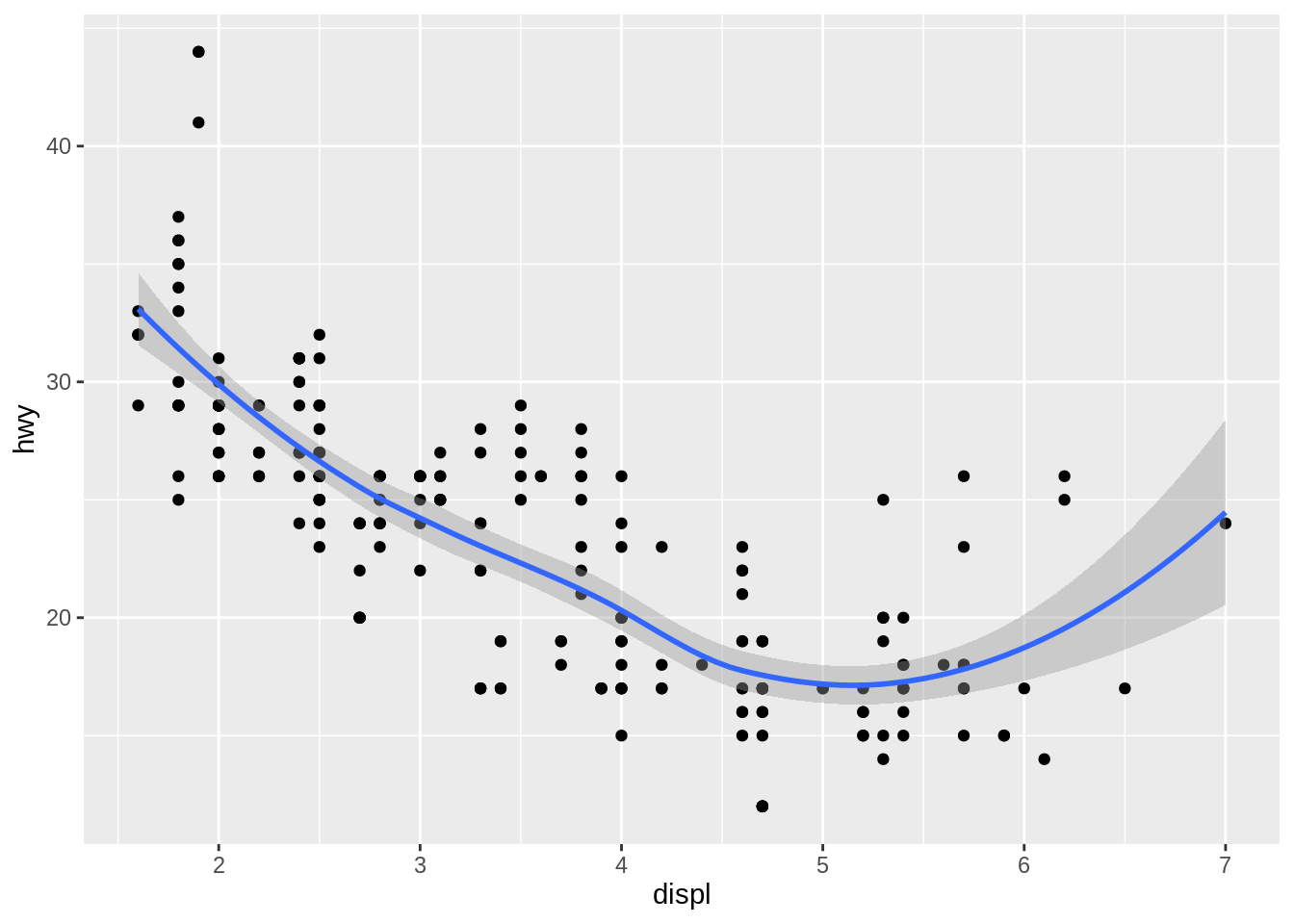
This overlays the scatterplot with a smooth curve, including an assessment of uncertainty in the form of point-wise confidence intervals shown in grey. If you’re not interested in the confidence interval, turn it off with geom_smooth(se = FALSE).
An important argument to geom_smooth() is the method, which allows you to choose which type of model is used to fit the smooth curve:
method = "loess", the default for small \(n\), uses a smooth local regression (as described in?loess). The wiggliness of the line is controlled by the span parameter, which ranges from 0 (exceedingly wiggly) to 1 (not so wiggly).
ggplot(mpg, aes(x = displ, y = hwy)) +
  geom_point() +
  geom_smooth(method = "loess", formula = y ~ x, span = 0.2)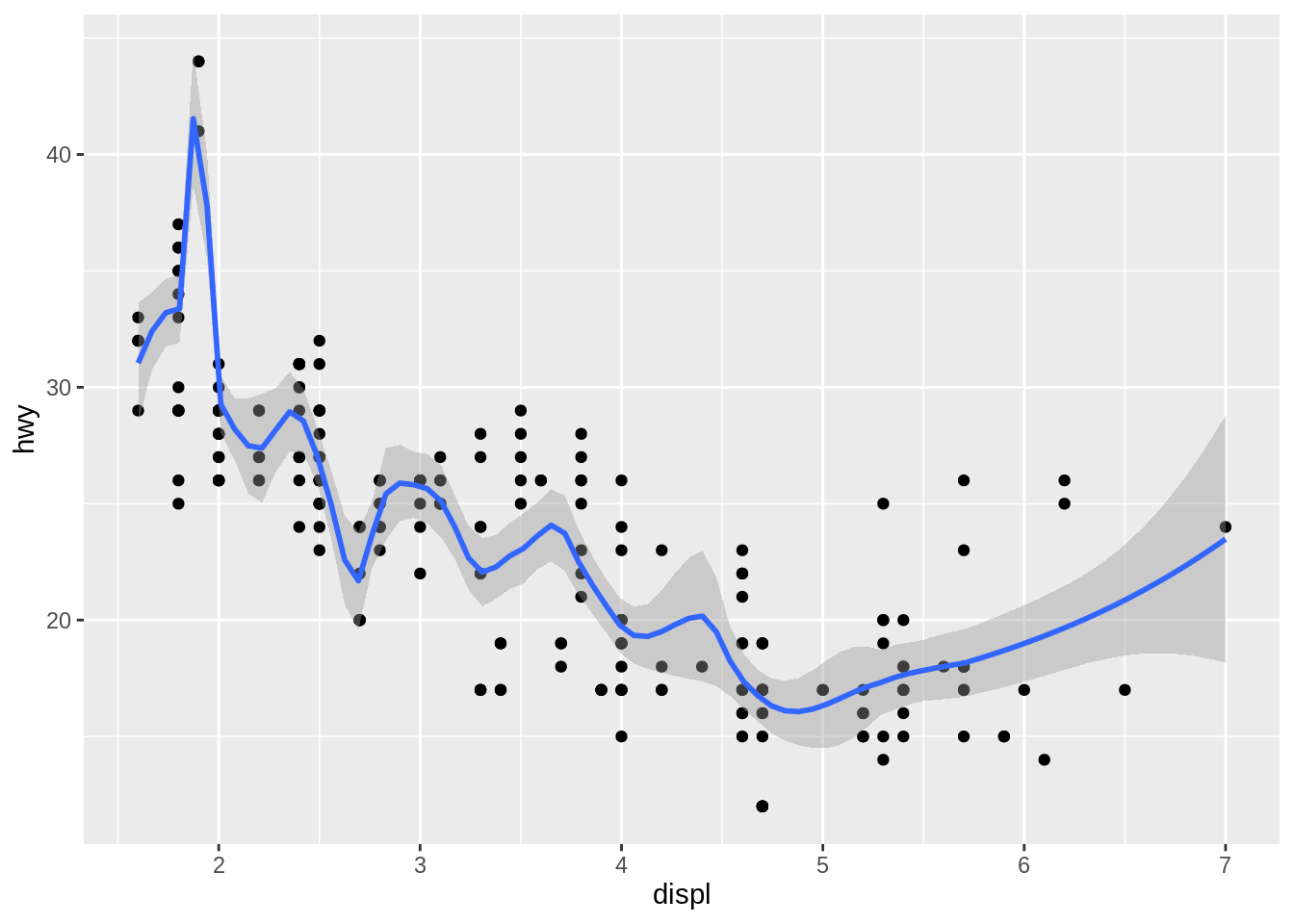
ggplot(mpg, aes(x = displ, y = hwy)) +
  geom_point() +
  geom_smooth(method = "loess", formula = y ~ x, span = 1)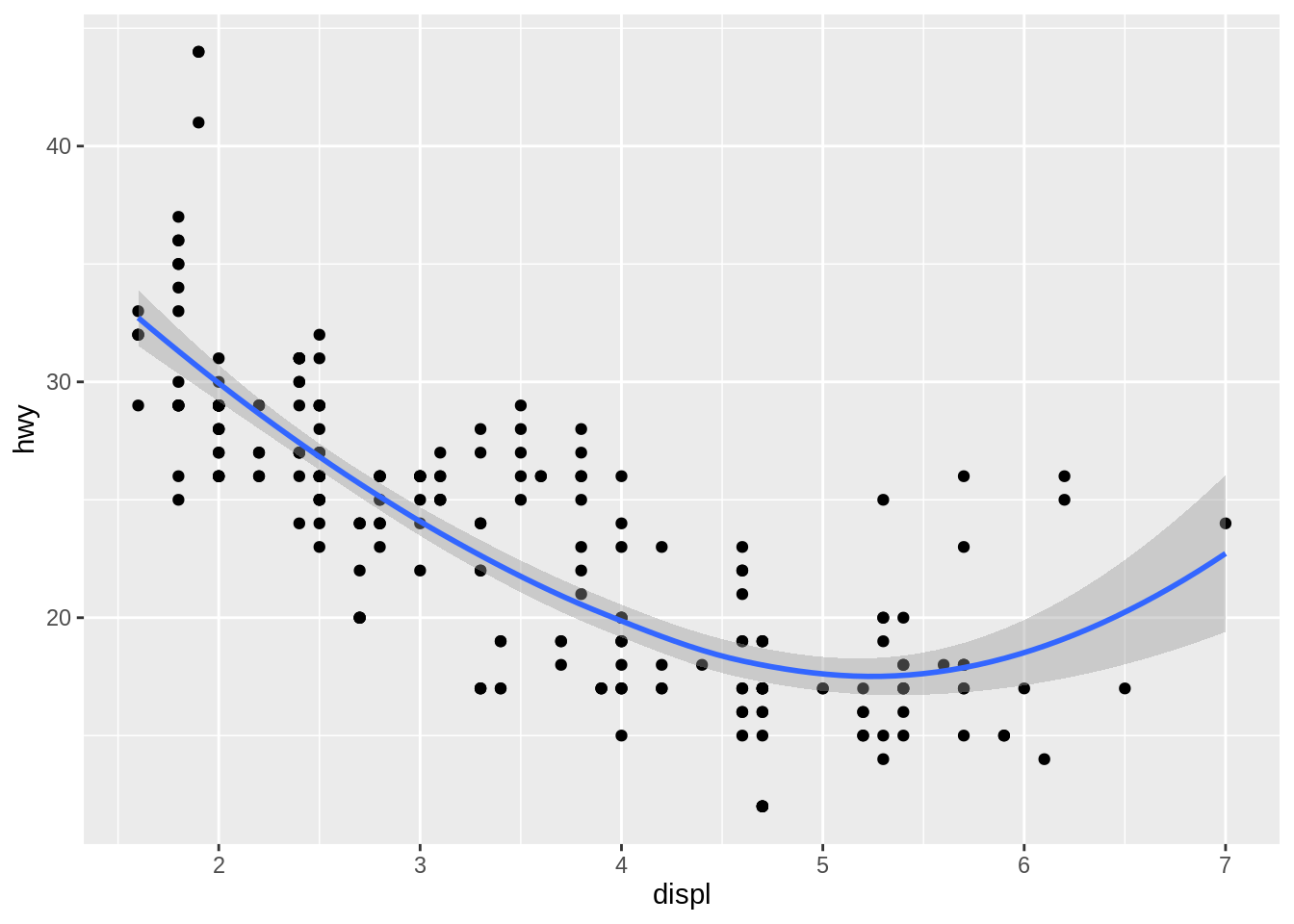
loess does not work well for large data sets, so an alternative smoothing algorithm is used when \(n\) is greater than 1,000.
method = "gam"fits a generalized additive model provided by themgcvpackage. You need to first loadmgcv, then use a formula likeformula = y ~ s(x)ory ~ s(x, bs = "cs")(for large data). This is whatggplot2uses when there are more than 1,000 points.
library(mgcv)
ggplot(mpg, aes(x = displ, y = hwy)) +
  geom_point() +
  geom_smooth(method = "gam", formula = y ~ s(x))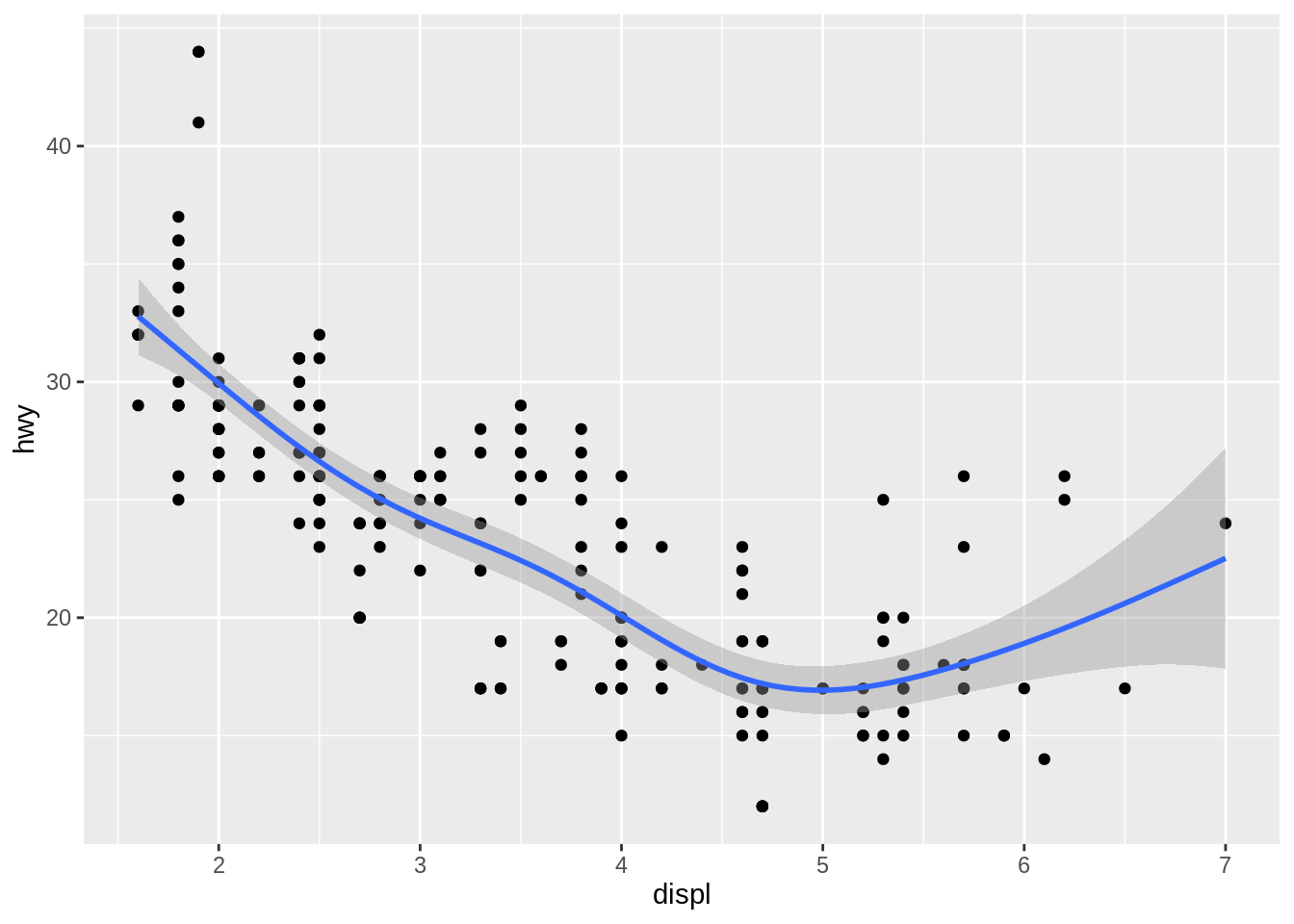
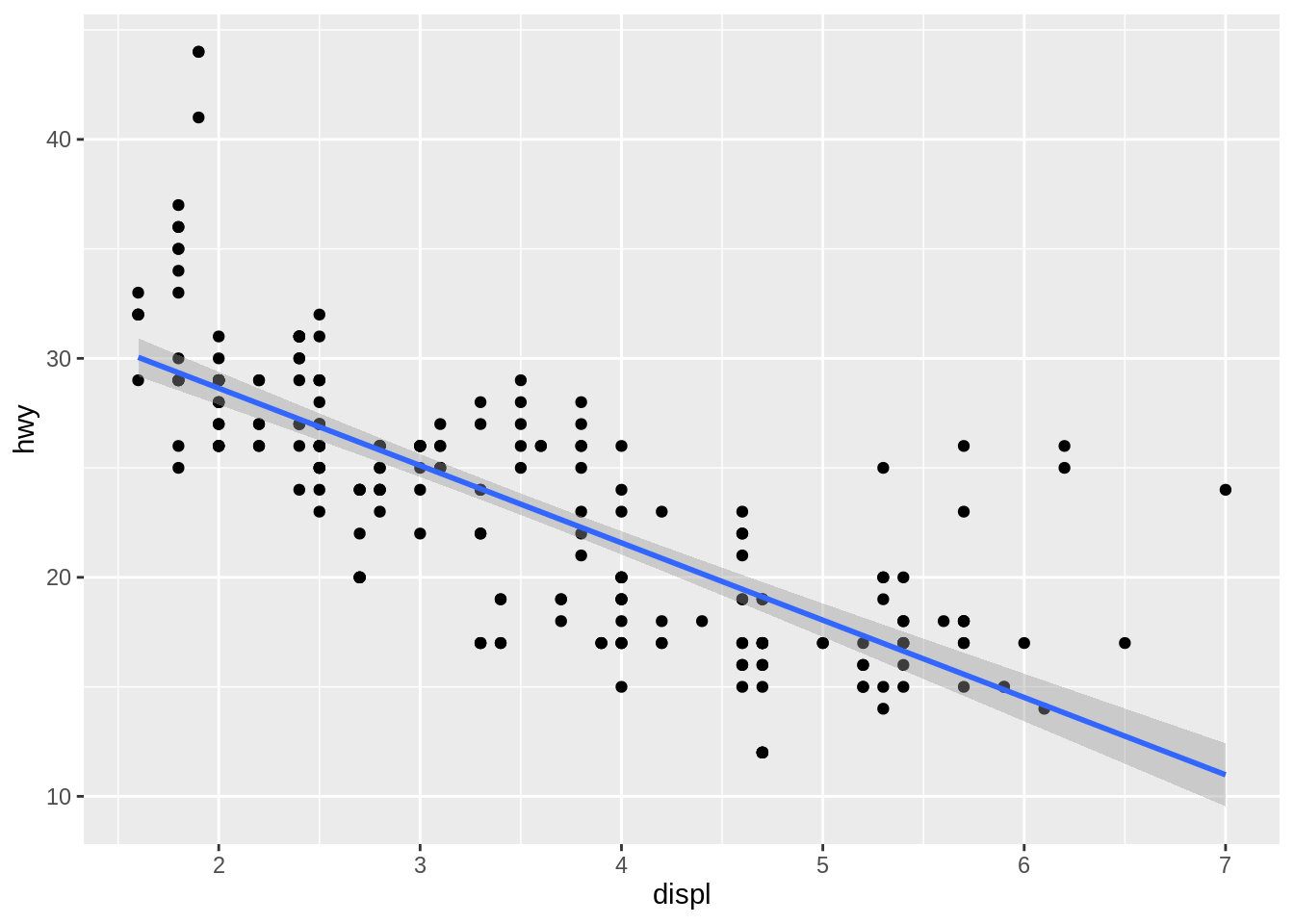
method = "lm"fits a linear model, giving the line of best fit.
method = "rlm"works likelm(), but uses a robust fitting algorithm so that outliers don’t affect the fit as much. It’s part of theMASSpackage, so remember to load that first.
library(MASS)
ggplot(mpg, aes(x = displ, y = hwy)) +
  geom_point() +
  geom_smooth(method = "rlm", formula = y ~ x)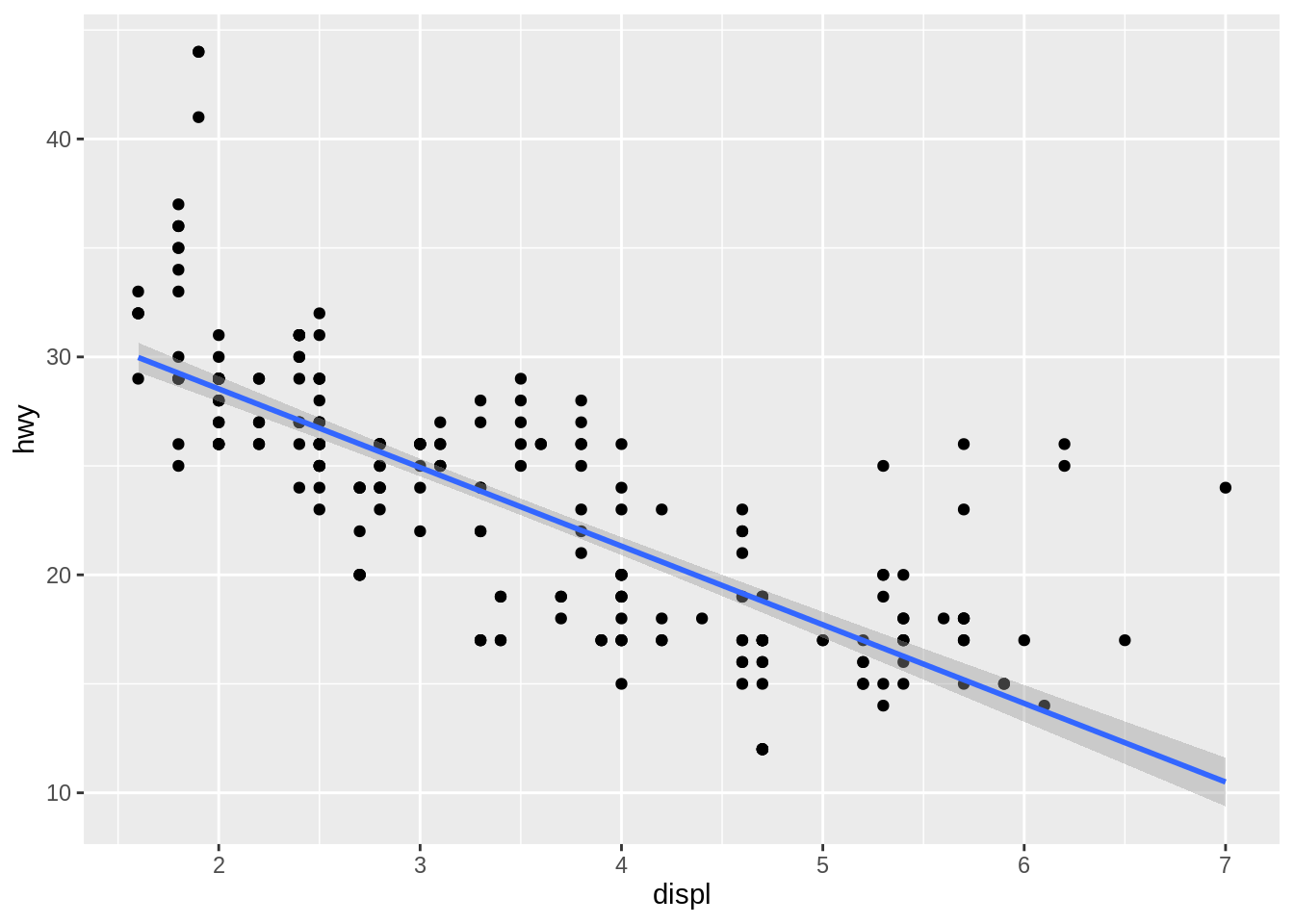
Exercise D
18.2 Histograms and frequency polygons
Histograms and frequency polygons show the distribution of a single numeric variable. They provide more information about the distribution of a single group than boxplots do, at the expense of needing more space.
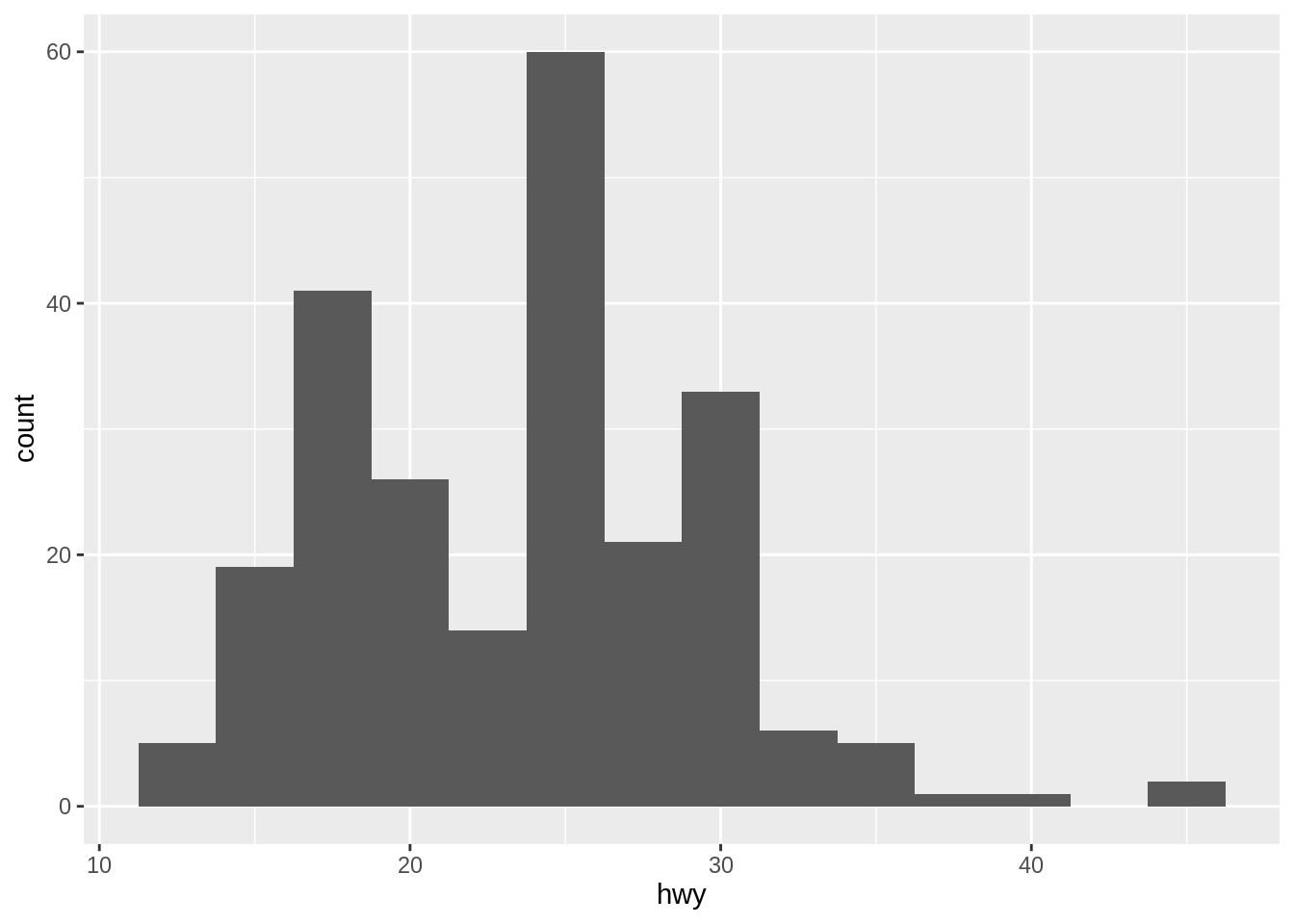
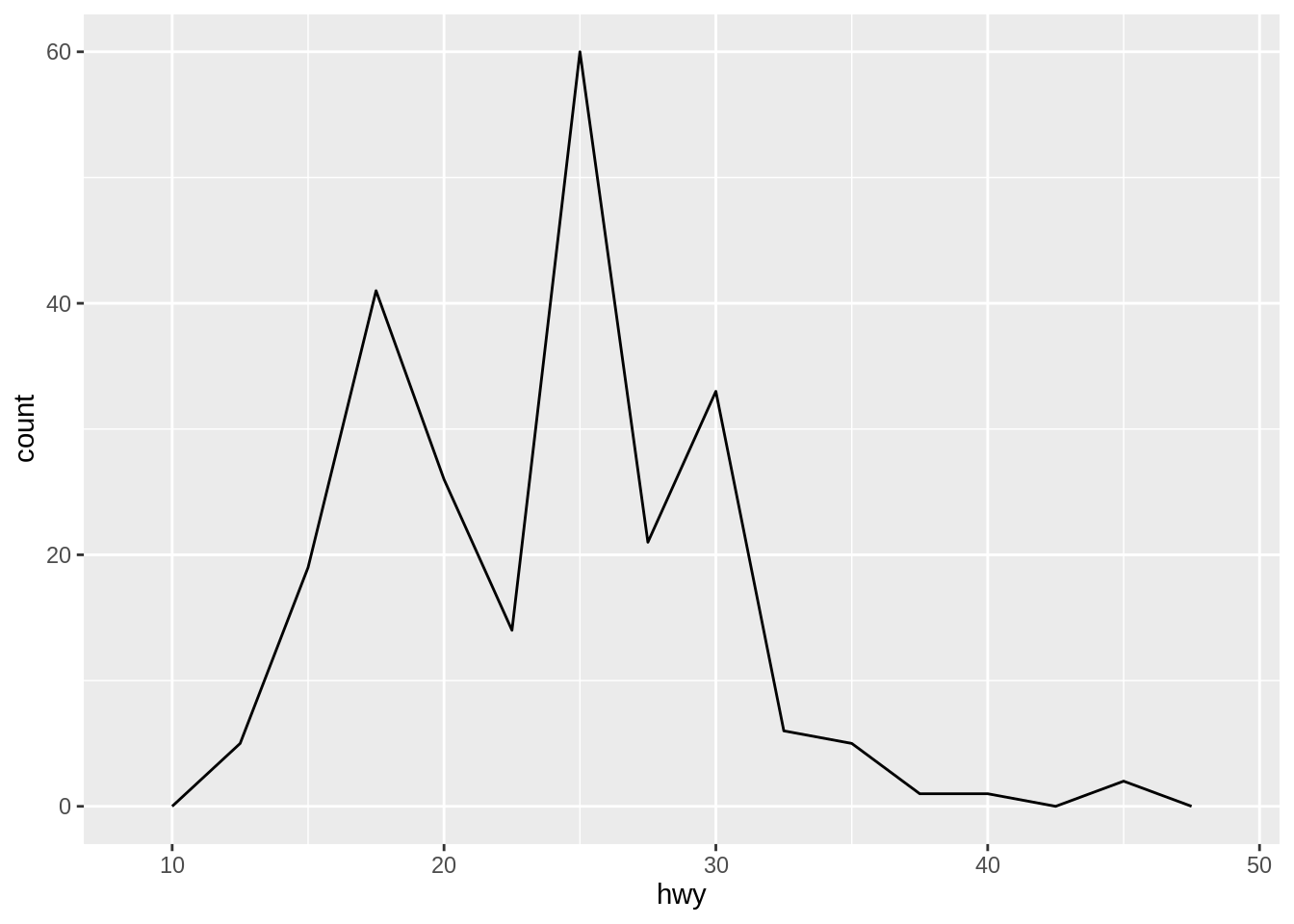
Like histogram, it is also important to specify the binwidth for geom_freqpoly().
An alternative to the frequency polygon is the density plot, geom_density(). It is sometimes nice to add the density curve on the histogram.
ggplot(mpg, aes(x = hwy)) +
  geom_histogram(aes(y = after_stat(density)),
                 binwidth = 2.5, alpha = 0.6) +
  geom_density(alpha = 0.5)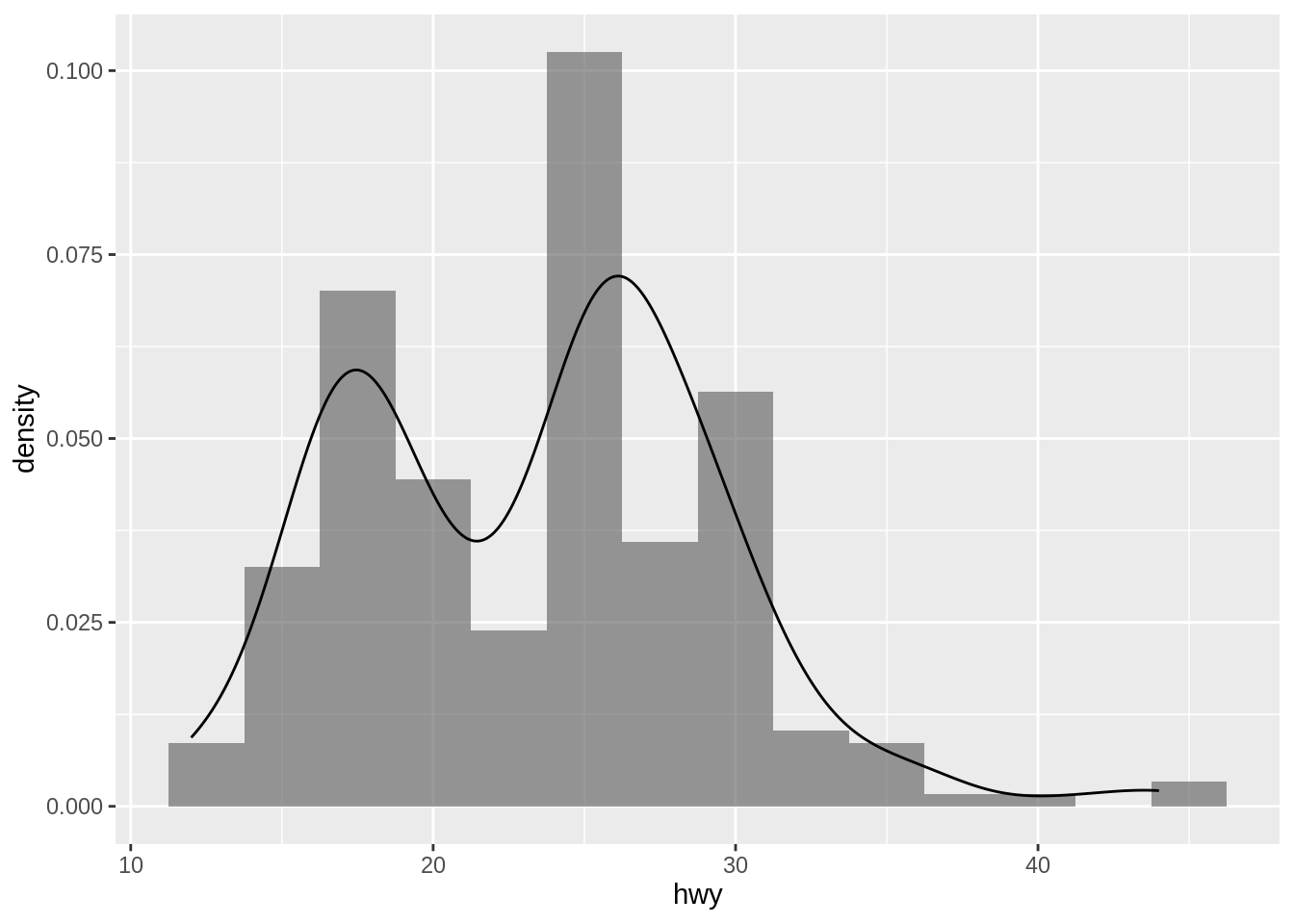
Note here that we need to specify the aesthetic of \(y\) in geom_histogram(). Otherwise, the y scales of the two graphs do not match.
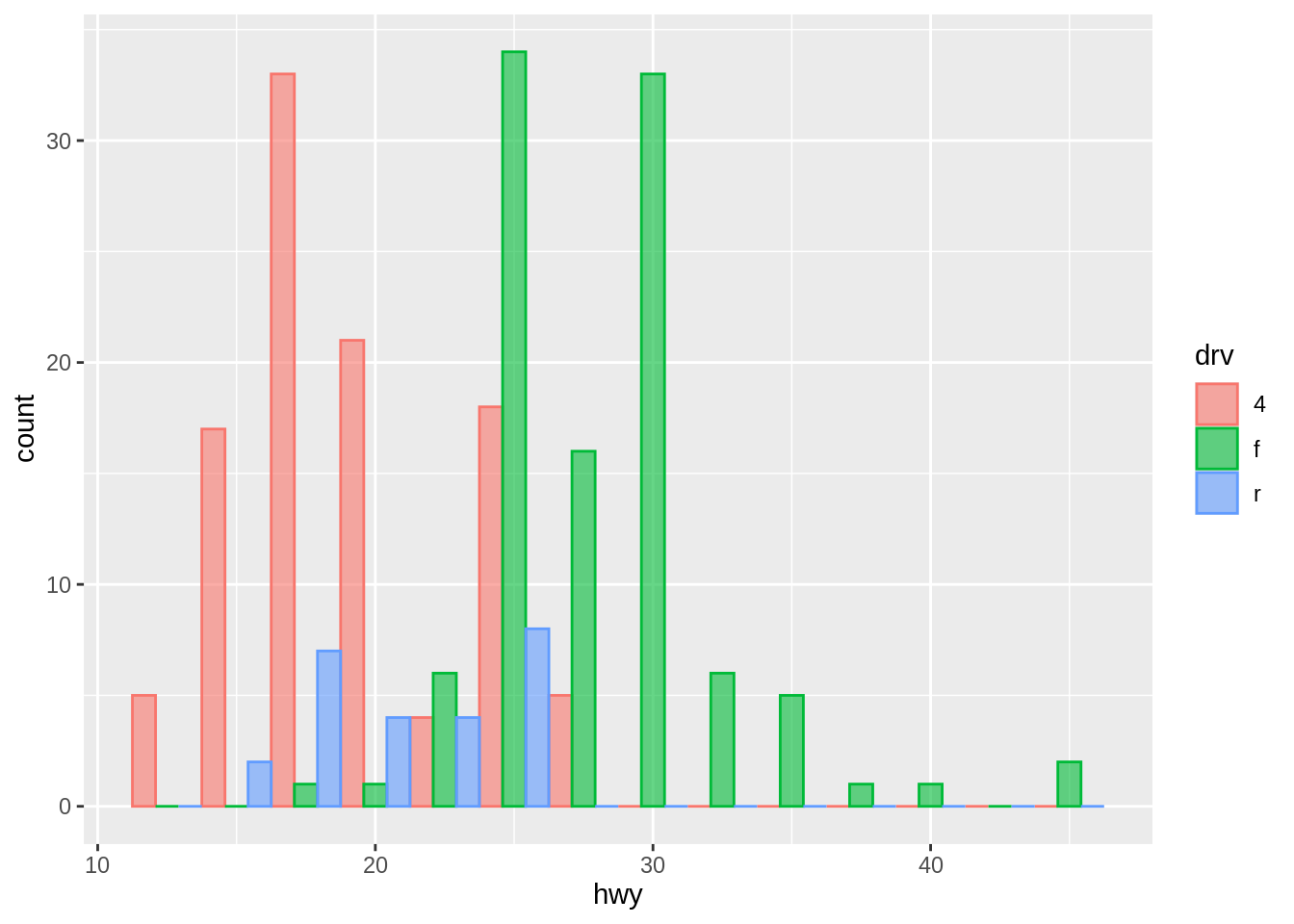
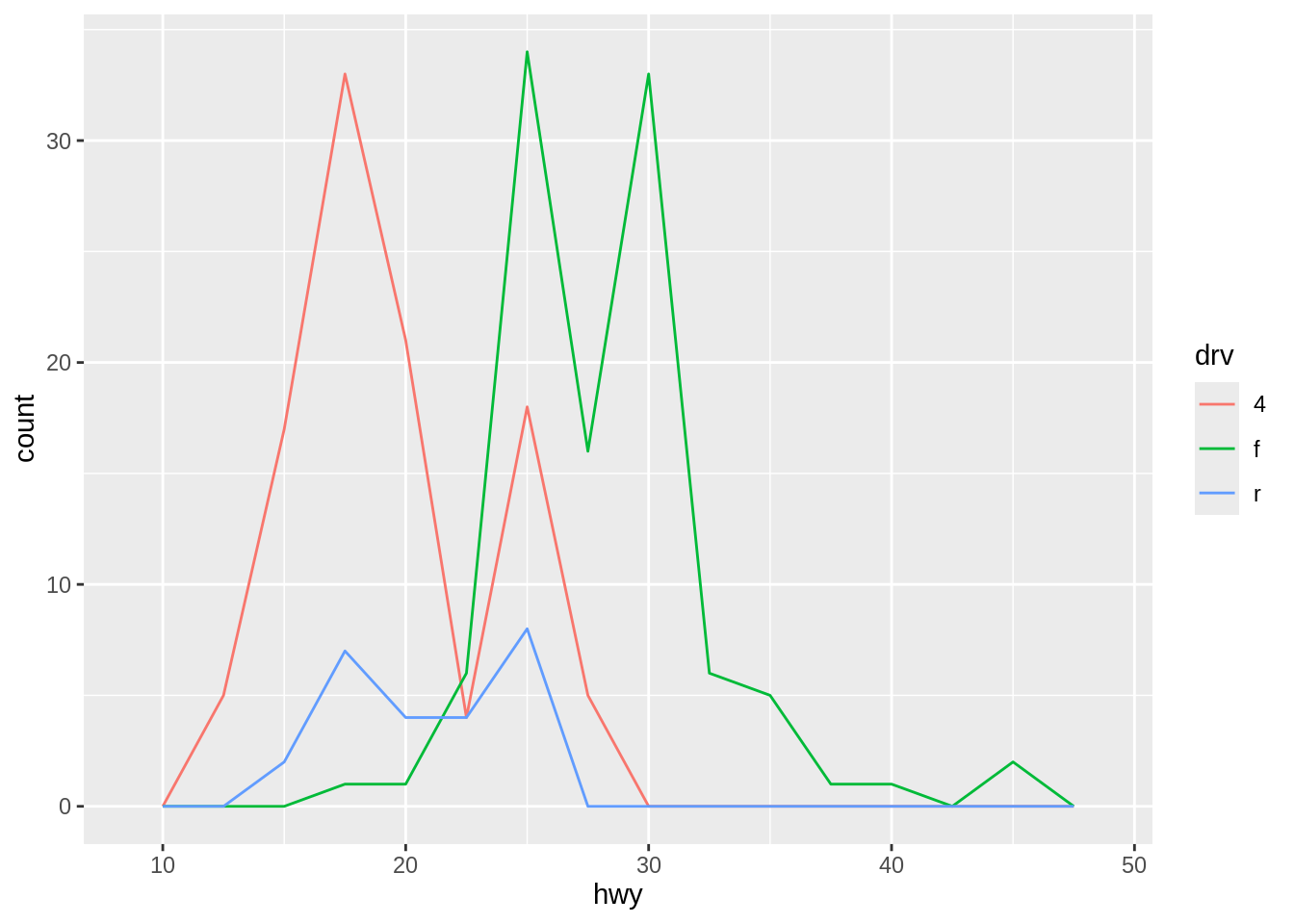
To compare the distributions of different subgroups, you can map a categorical variable to either fill (for geom_histogram()) or color (for geom_freqpoly()).
However, note that by default, the bars will be stacked in a histogram. If you want to compare the distributions side by side, you might consider setting the position argument to “dodge”.
geom_freqpoly(), on the other hand, is more effective for comparing distributions as it overlays line plots of frequencies for each category. It can handle overlapping data better than histograms in some cases.
ggplot(mpg, aes(x = hwy, color = drv, fill = drv)) +
  geom_histogram(binwidth = 2.5, alpha = 0.6, position = "dodge")