3 R Packages
3.1 What is an R package?
While Base R includes numerous built-in functions for statistical computing and plotting, its capabilities can be limited. Thanks to R’s open-source nature, developers can create packages that enhance its basic functionality. You could consider a package as a collection of functions and code or sometimes data as well which is wrapped up in a nice, complete format. If you would like to develop your own packages, check out Hadley Wickham’s book from O’Reilly, “R Packages”.
3.2 What are repositories?
A repository is a central location where many developed packages are located and available for download. There are three major repositories:
- CRAN (Comprehensive R Archive Network): R’s main repository (currently 21132 packages available!)
- GitHub: A very popular, open source repository (not R specific!)
- BioConductor: A repository mainly for bioinformatic-focused packages
3.3 CRAN task views
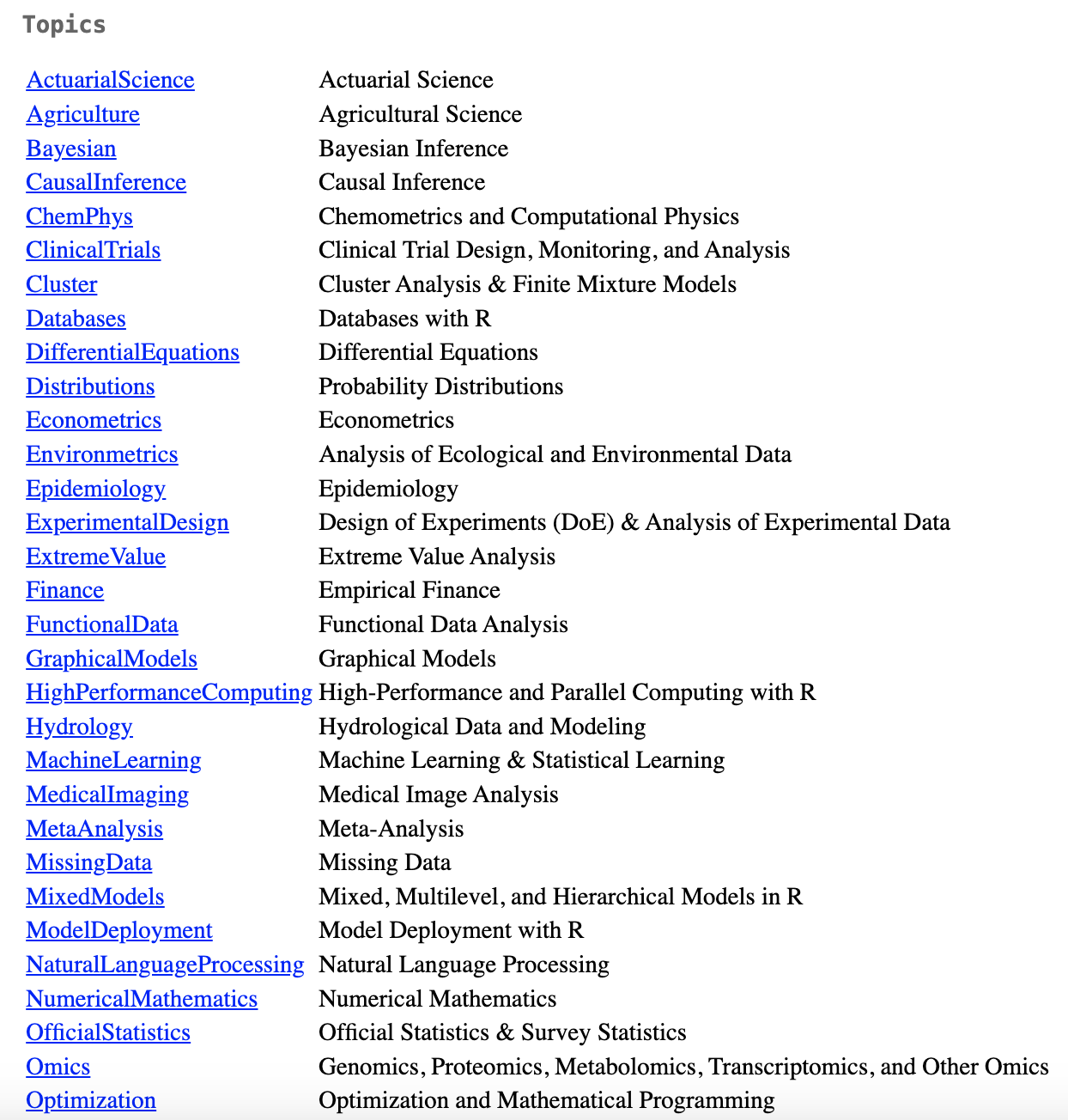
CRAN task views aim to provide some guidance which packages on CRAN are relevant for tasks related to a certain topic. They give a brief overview of the included packages which are intended to have a sharp focus so that it is sufficiently clear which packages should be included (or excluded). An excerpt of the current task views can be found in Figure Figure 3.1 and they are still being updated.
R Documentation is a useful search engine for packages and functions from CRAN and BioConductor.
3.4 Install packages from CRAN?
We will be focusing on installing packages from CRAN in this course. If you are interested, you can Google installation instructions for packages from GitHub or BioConductor.
Use install.packages() function
You can simply install a package by using the install.packages() function in your R console. e.g.,  or
or  if you would like to install multiple packages at once.
Use RStudio graphical interface
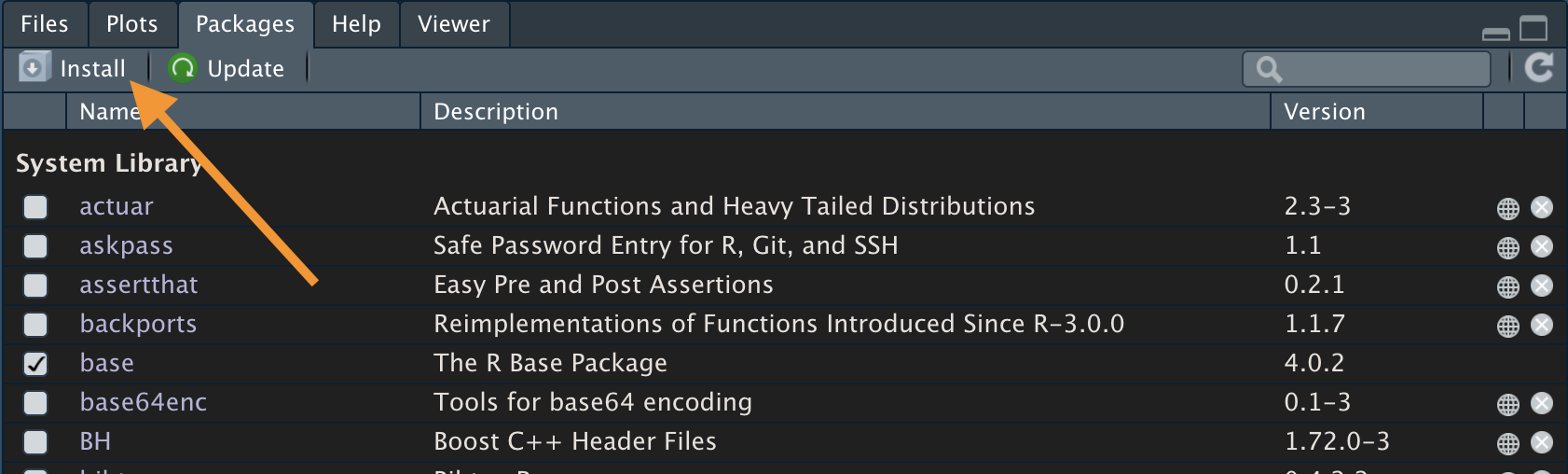
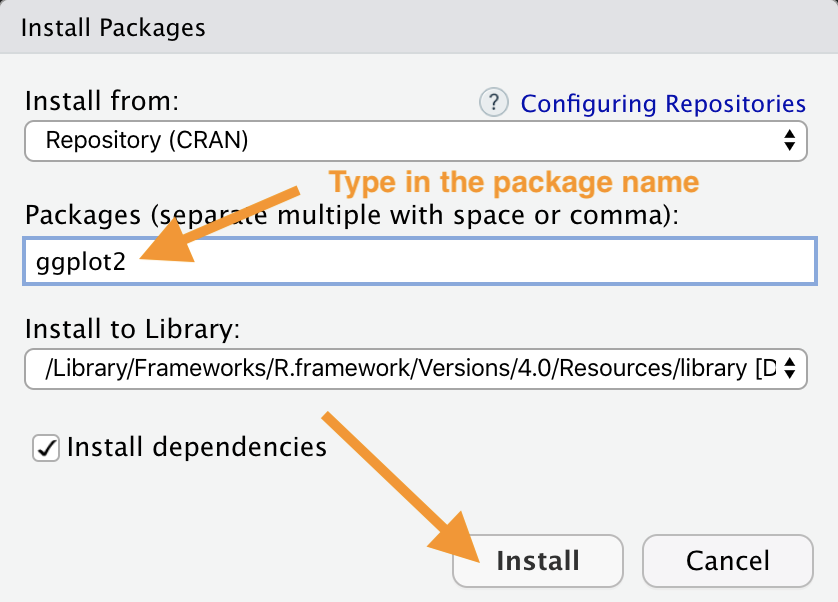
As seen in Figure Figure 3.2 and Figure 3.3 click the Packages tab in your plots, packages panel and find the Install button and click it. Once a window pops up, type in the package name you would like to install. Click Install and R will do the rest of the job.
3.5 Load packages
After installing a package, you MUST load it before you start to use functions in the package. You can do it using the library() function, e.g.,  .
.
3.6 Update, remove, unload packages
3.6.1 Checking packages:
Before considering updating or removing packages, you might want to check what packages you have already installed. You can do it by either installed.packages() or library() with nothing between the parentheses to check. Alternatively, RStudio Packages tab also presents you with a list of installed packages.
3.6.2 Updating packages:
Use old.packages() to obtain a list of the versions of the packages installed. To update all packages, use update.packages(). If you only want to update a specific package, just use once again install.packages('packagename'). Or, you could also update packages using the RStudio graphical interface under the Packages tab.
3.6.3 Uninstalling packages:
Running the remove.packages() will allow you to uninstall a package you do not need anymore. If you are using the RStudio graphical interface, the removal can be done by clicking the ‘X’ on the right end of the packages list.
3.6.4 Unloading packages:
Sometimes you may want to unload a package in the middle of a script, possibly due to conflicts with another package. To unload a given package you can use the detach() function, e.g.,  would unload the ggplot2 package (that we loaded earlier). Within the RStudio interface, under the Packages tab, you can unload a package by unchecking the box in front of the package name.
3.7 Use of Help files
To activate a function’s help file, you could simply type in the R console a question mark followed by the function name, e.g., 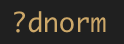 . In the file, you will see a list of arguments of the function as well as detailed explanation related to each argument. At the bottom of the file, you can find examples of employing the function. Note that some arguments are optional and some arguments can be migrated from another function.
3.8 Exercise C
Tip
If interested, you can find more details about the ‘readxl’ package here.