7 Vectors
7.1 Forming a vector
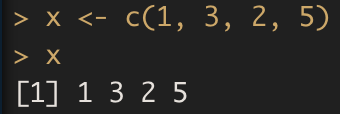
To create a vector of numbers, we use the function c() (for concatenate). Any number inside the parentheses are joined together. The following command instructs R to join together the numbers 1, 3, 2, and 5, and to save them as a vector named x. When we type x, it returns the vector.
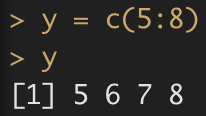
The : operator can be used to generate a sequence of consecutive integers.
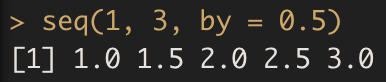
If we would like to create more general arithmetic sequences, we can apply the seq() function.
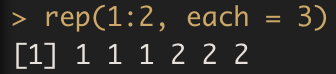
There is the rep() function specially useful for creating vectors with repetitive elements.
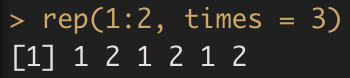
Compare it with
7.1.1 Exercise D
Create the vectors:
7.2 Arithmetic operations
Arithmetic operators apply to vectors where the operation is taken element by element.

However, when applying mathematical operators, x and y must be the same length. We can check their length using the length() function.
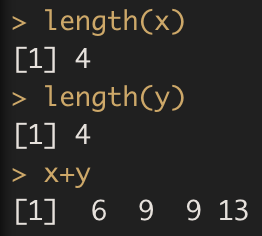
Hitting \(\uparrow\) multiple times will display previous commands which can be further edited. This is useful when one often wishes to repeat a similar command.
The
ls()function allows us to review a list of all of the objects, such as data and functions, that we have saved so far.
The
rm()function can be used to delete variables that are no longer needed.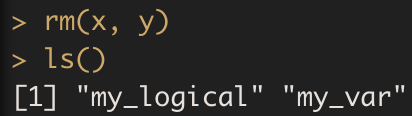
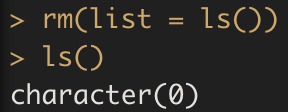
It is also possible to remove all objects at once:
7.2.1 Exercise E
7.3 Selecting Elements
Select the indexing technique appropriate for your problem:
Use square brackets to select vector elements by their position, such as
vec[2]for the second element of vec.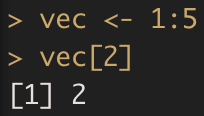
Use negative indexes to exclude elements.
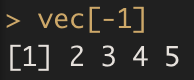
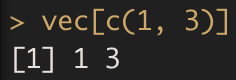
Use a vector of indexes to select multiple values.
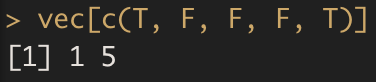
Use a logical vector to select elements based on a condition.
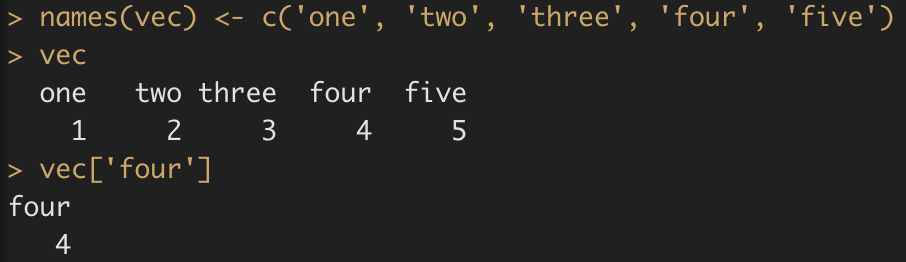
Use names to access named elements.
7.4 Comparison operations
By making use of comparison operators, we can approach some questions in a more proactive way.
The (logical) comparison operators known to R are:
<for less than>for greater than<=for less than or equal to>=for greater than or equal to==for equal to each other!=not equal to each other
The nice thing about R is that you can use these comparison operators also on vectors.
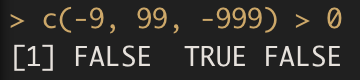
This command tests for every element of the vector if the condition stated by the comparison operator is TRUE or FALSE.
Working with comparisons will make your data analytical life easier. Instead of selecting a subset to investigate yourself, you can simply ask R to return only the elements that satisfy the underlying condition. You can select the desired elements by putting the conditional statement between the square brackets that follow the vector of interest:
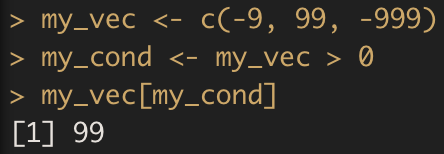
R knows what to do when you pass a logical vector in square brackets: it will only select the elements that correspond to TRUE in my_cond.
7.4.1 Exercise F
Determine which days have a stock price lower than 209.
