8 Matrices
8.1 Basics
The matrix() function can be used to create a matrix of numbers.
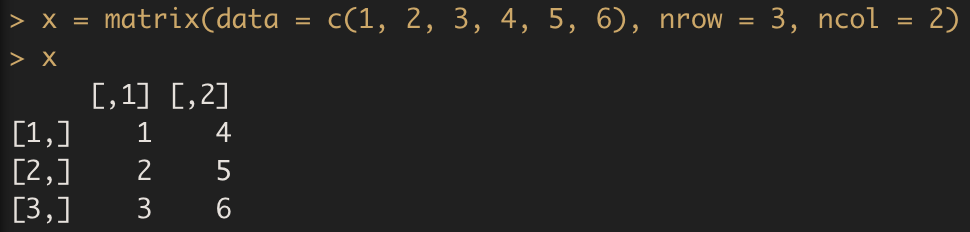
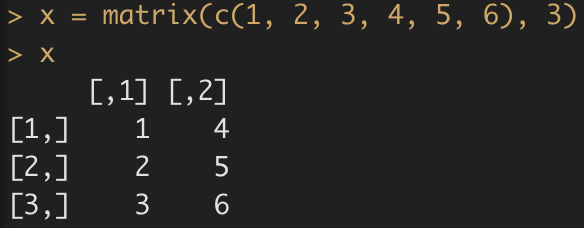
Note that we could just as well omit typing data =, nrow= and ncol = in the matrix() command above. We could also omit either one of the nrow= and the ncol= arguments.
Exercise G
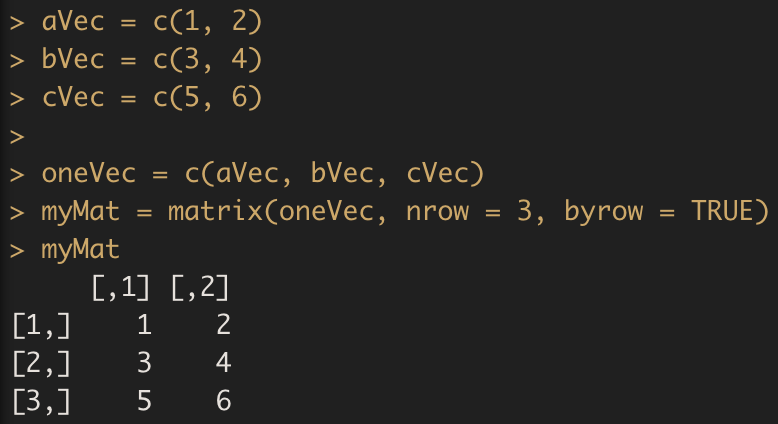
We can also combine vectors to obtain a matrix. For instance, we would like to construct a matrix with each of the three vectors as a row.
If you are interested in finding the sum of all values by rows or by columns, rowSums() and colSums() provide the convenience. Similarly, there are rowMeans() and colMeans(). These functions would each create a new vector with the same length as the dimension of the row and column:

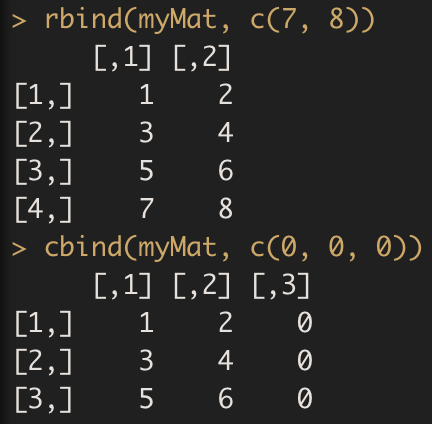
You can easily append additional values to an existing matrix by either rbind() or cbind(), where r and c stand for row and column, respectively.
Exercise H
First construct a matrix containing prices for three different hotel rooms (row) shown on two different websites (column).

Compute the average price from two websites for each room.
Compute the mean price of the three rooms from the two websites, respectively.
Add
Room4whose price shown on the two websites are110, 120, respectively.Based on the matrix you created in 4., add prices from the third website for all 4 rooms:
150, 199, 85, 115.
8.2 Extracting matrix elements
Similar to vectors, you can use the square brackets [ ] to select one or multiple elements from a matrix. While vectors have one dimension, matrices have two dimensions. You should therefore use a comma to separate the rows you want to select from the columns. For example:

If you want to select all elements of a row or a column, no number is needed before or after the comma, respectively:

Exercise I
8.3 Arithmetics with matrices
Similar to what you have learned with vectors, the standard operators like +, -, /, *, etc. work in an element-wise way on matrices in R. For example,

Note that this is not the standard matrix multiplication for which you should use %*% in R. See below for an example.

where diag() allows us to create a diagonal matrix with all elements on the diagonal to be 1 (an identity matrix).