flowchart TD
  AA{{Aesthetics}}
  AA -->AAD(x, y)
  AA -->AAA(color)
  AA -->AAB(shape)
  AA -->AAC(size)
  AA -->AAE(...)
16 Aesthetics
Tip
The goal of this module is to teach you how to produce useful graphics with ggplot2 as quickly as possible. You’ll exploit its grammar a little further and learn some useful “recipes” to make the most important plots.
Again, let us first load the tidyverse package.
16.1 Fuel economy data
In this module, we’ll mostly use one data set that’s bundled with ggplot2::mpg. It includes information about the fuel economy of popular car models in 1999 and 2008, collected by the US Environmental Protection Agency, http://fueleconomy.gov. You can access the data as long you have loaded ggplot2:
The variables are mostly self-explanatory:
ctyandhwyrecord miles per gallon (mpg) for city and highway driving.displis the engine displacement in litres.drvis the drivetrain: front wheel (f), rear wheel (r) or four wheel (4).modelis the model of car. There are 38 models, selected because they had a new edition every year between 1999 and 2008.classis a categorical variable describing the “type” of car: two seater, SUV, compact, etc.
Recall that we can create a scatterplot using
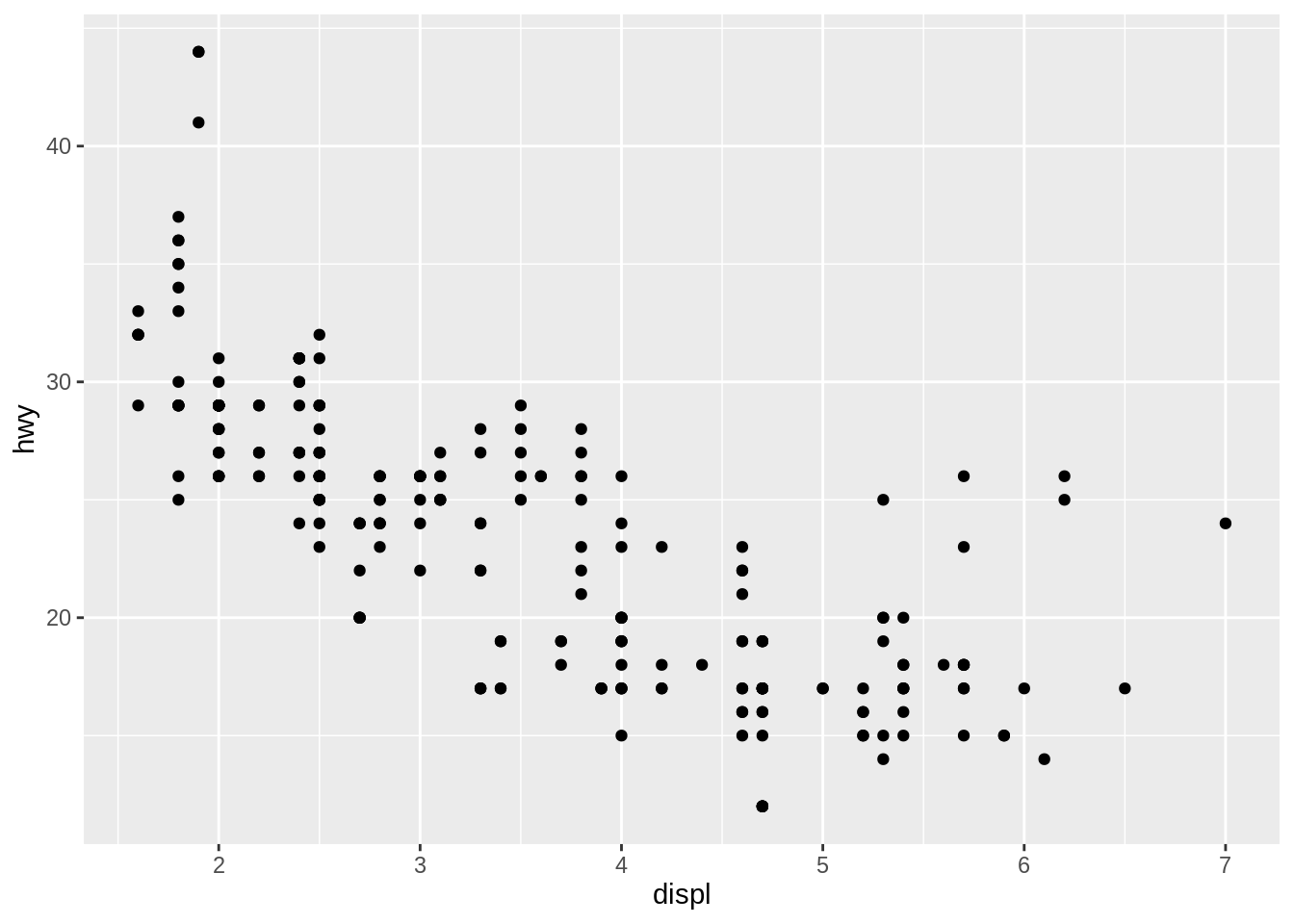
This produces a scatterplot defined by:
- Data:
mpg. - Aesthetic mapping: engine size mapped to \(x\) position, fuel economy to \(y\) position.
- Layer: observations rendered as points.
Exercise A
16.2 color, shape, size and other aesthetic attributes
To add additional variables to a plot, we can use other aesthetics like color, shape, and size (Note: Both American and British spellings are accepted by ggplot2). These work in the same way as the \(x\) and \(y\) aesthetics, and are added into the call to aes():
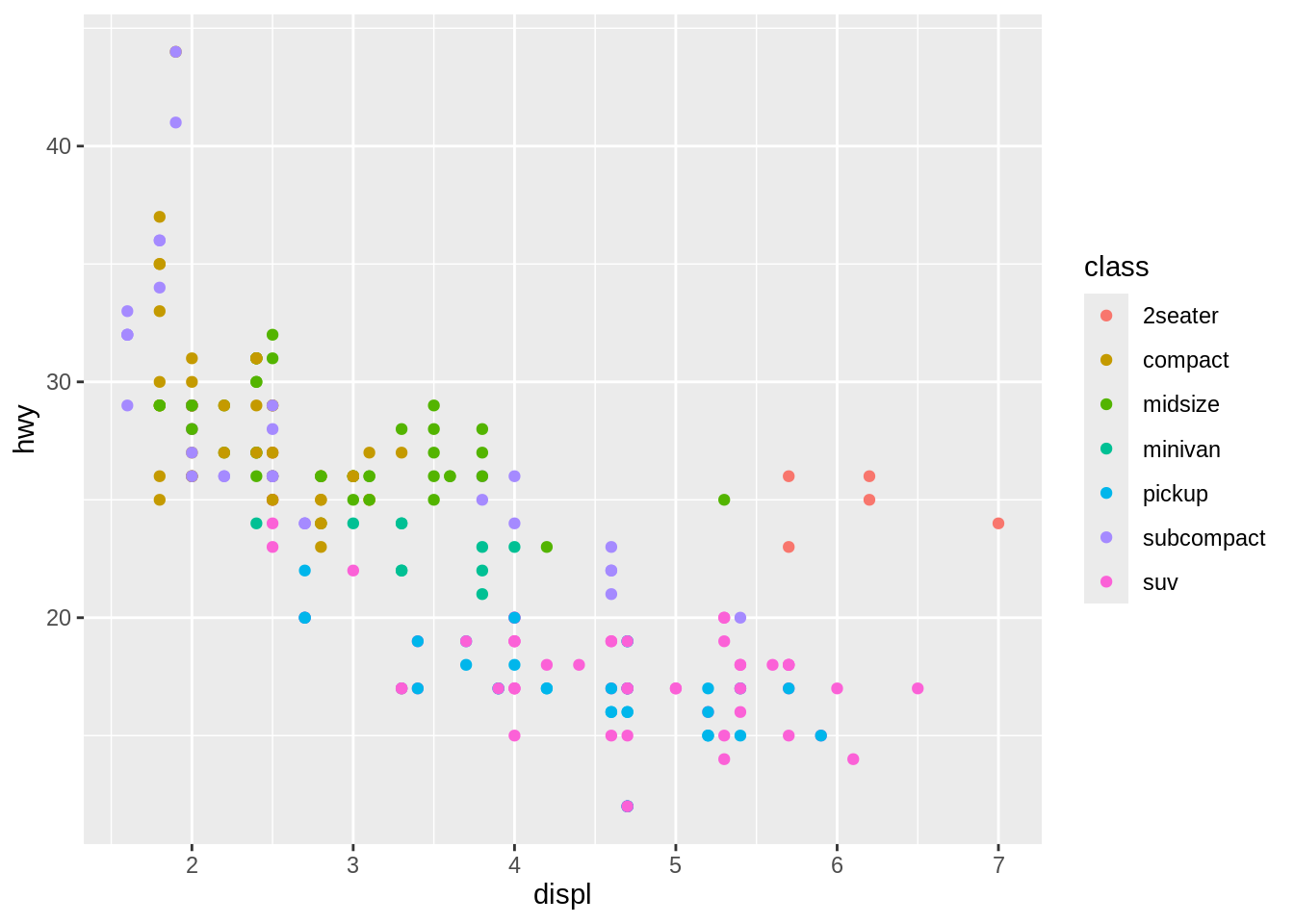
aes(displ, hwy, color = class) gives each point a unique color corresponding to its class. The legend allows us to read data values from the color, showing us that the group of cars with unusually high fuel economy for their engine size are two seaters: cars with big engines, but lightweight bodies.
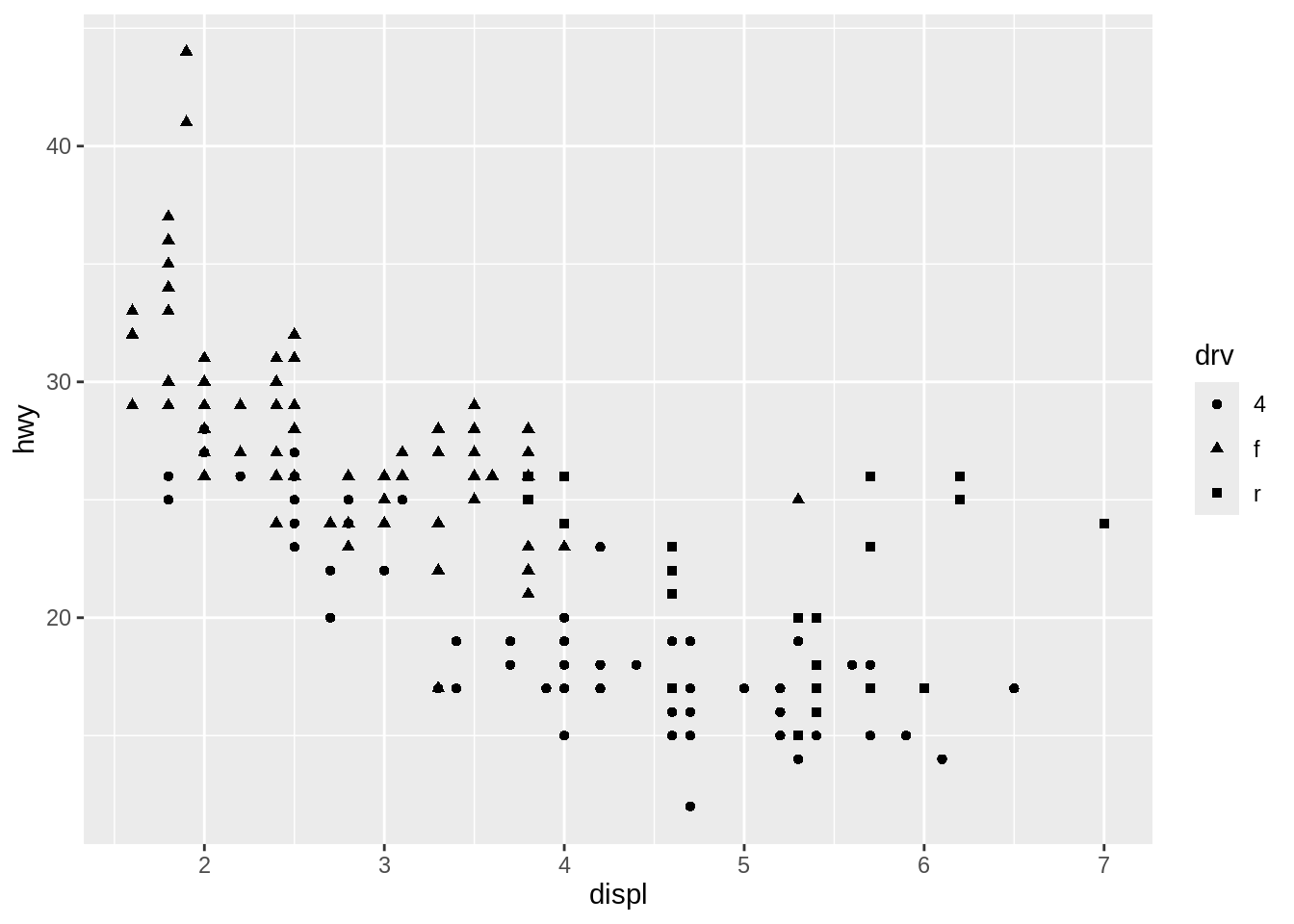
ggplot2 takes care of the details of converting data (e.g., “f”, “r”, “4”) into aesthetics (e.g., “triangles”, “squares”, “circles”) with a scale.
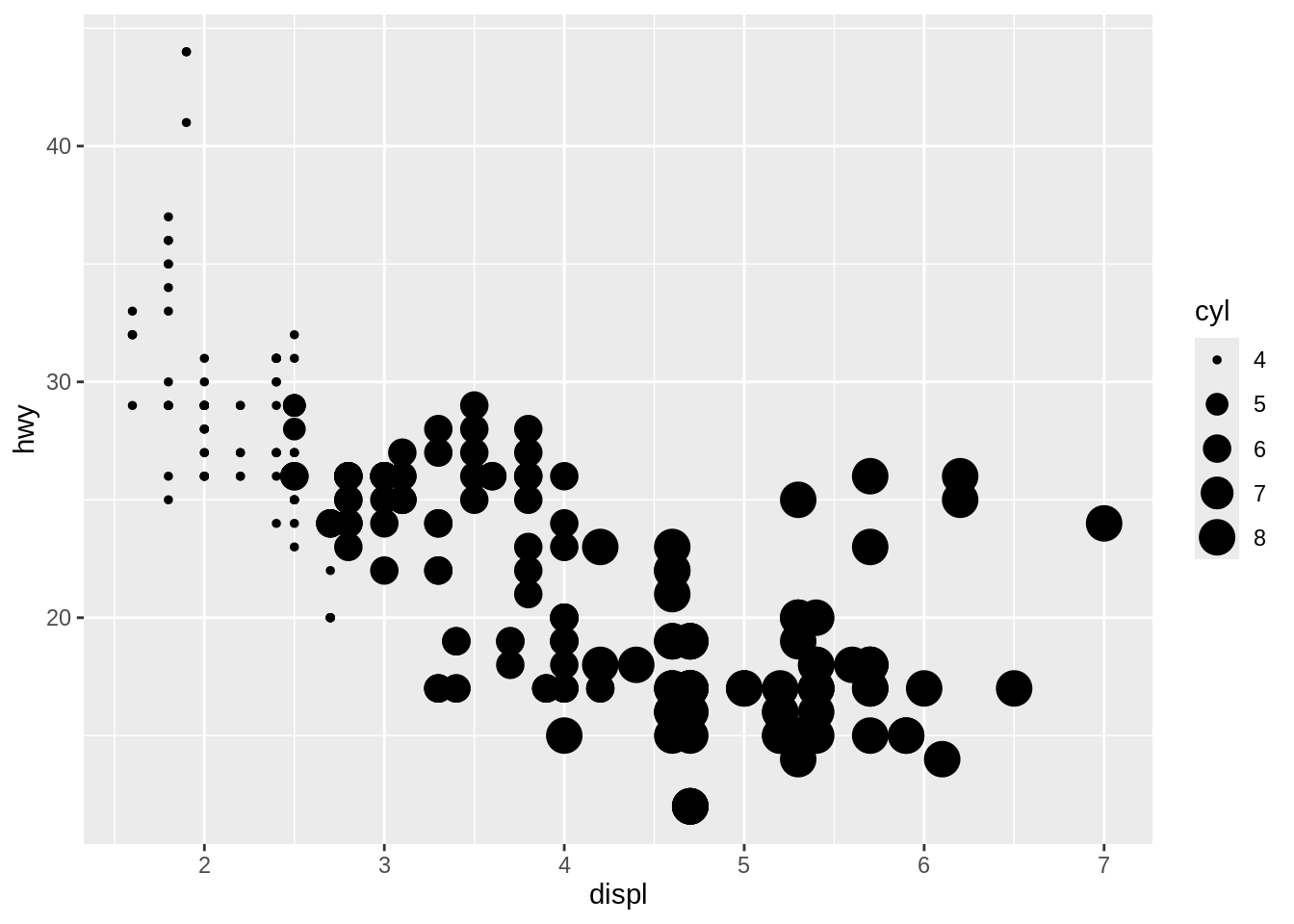
There is one scale for each aesthetic mapping in a plot. The scale is also responsible for creating a guide, an axis or legend, that allows you to read the plot, converting aesthetic values back into data values. For now, we’ll stick with the default scales provided by ggplot2.
If you want to set an aesthetic to a fixed value, without scaling it, do so in the individual layer outside of aes(). Compare the following two plots:
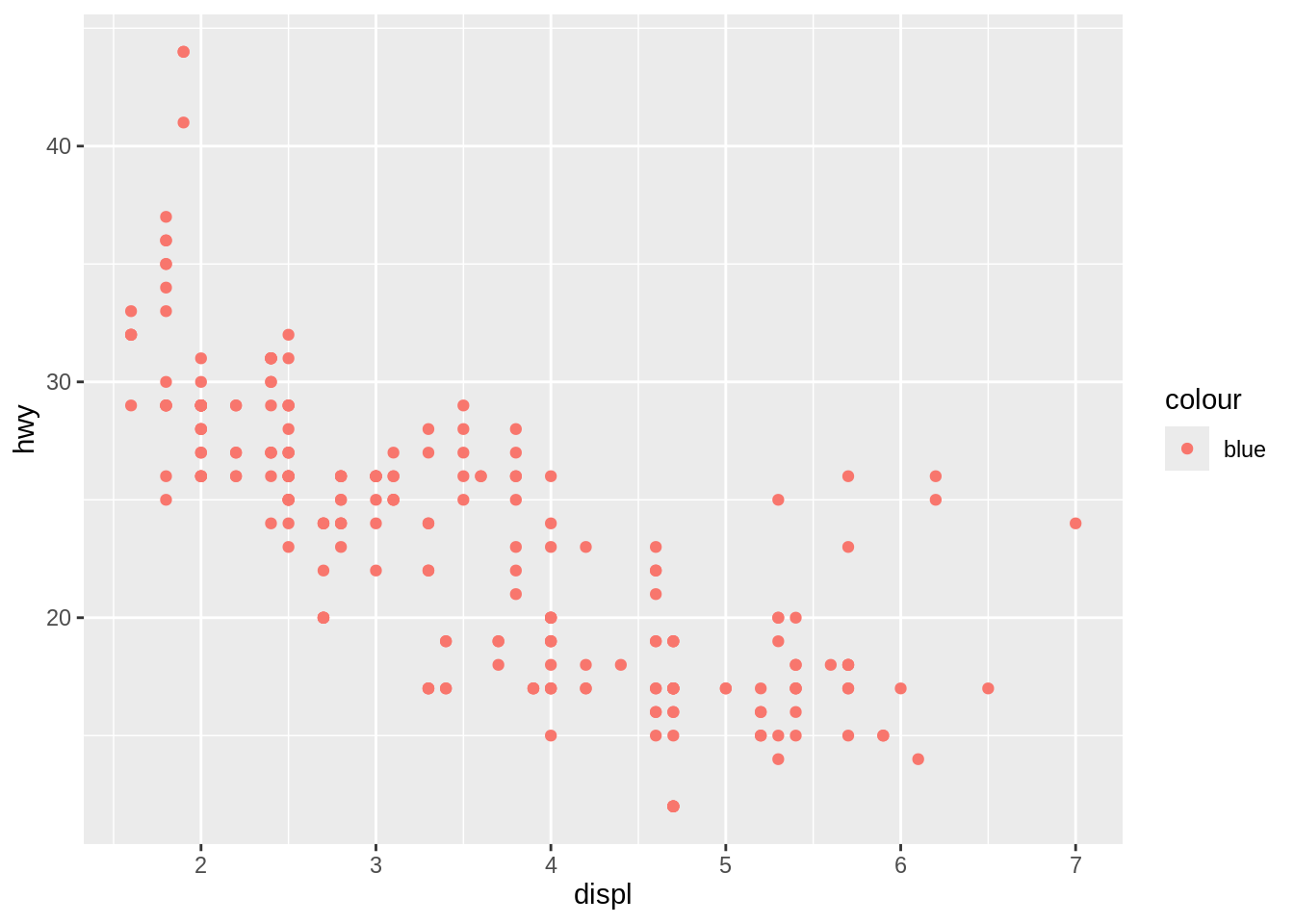
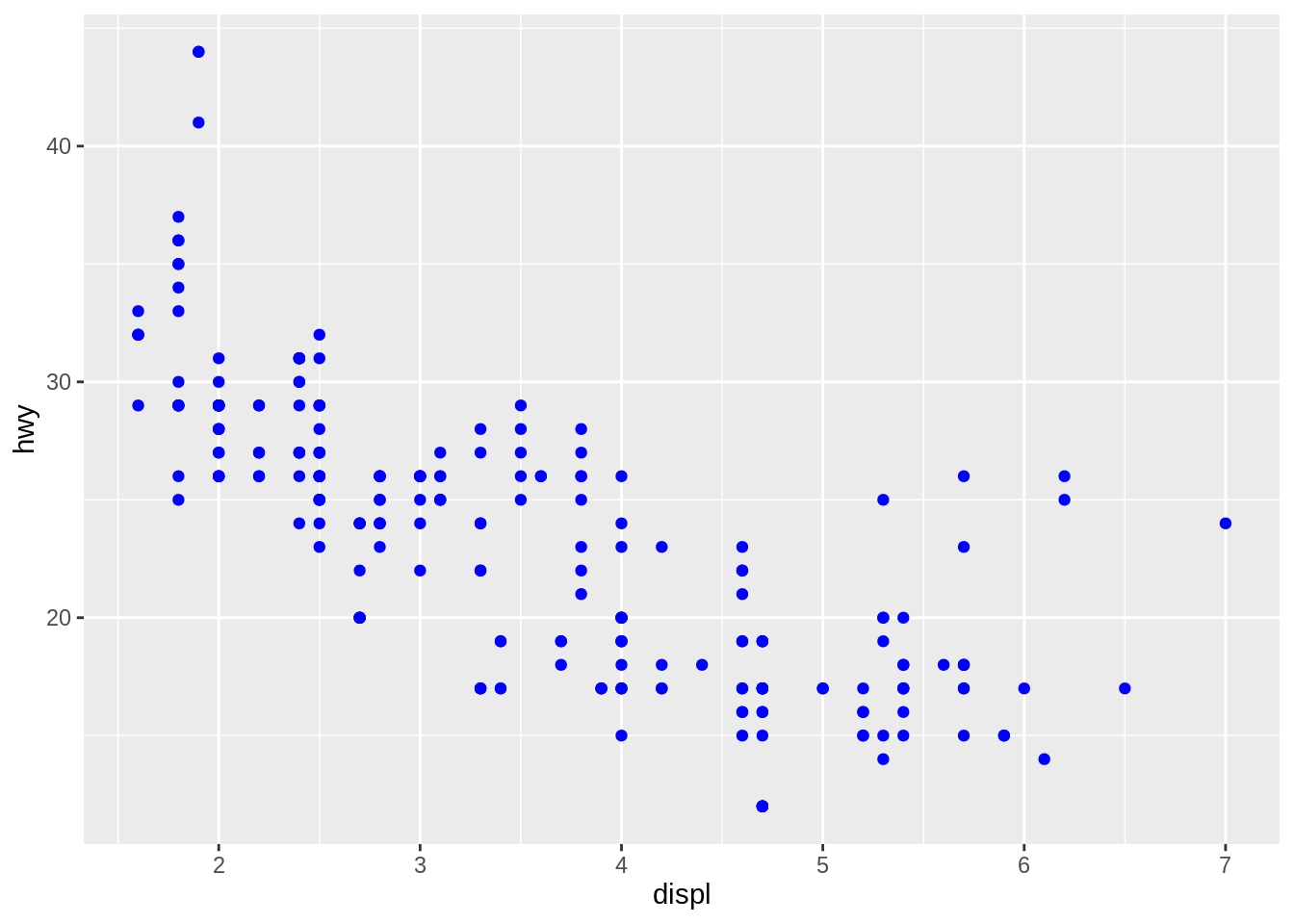
In the first plot, the value “blue” is scaled to a pinkish color, and a legend is added. In the second plot, the points are given the R color blue. This is an important technique. See vignette("ggplot2-specs") for the values needed for color and other aesthetics.
Different types of aesthetic attributes work better with different types of variables. For example, color and shape work well with categorical variables, while size works well for continuous variables. The amount of data also makes a difference: if there is a lot of data it can be hard to distinguish different groups. An alternative solution is to use faceting, as described next.
When using aesthetics in a plot, less is usually more. It’s difficult to see the simultaneous relationships among color and shape and size, so exercise restraint when using aesthetics. Instead of trying to make one very complex plot that shows everything at once, see if you can create a series of simple plots that tell a story, leading the reader from ignorance to knowledge.
Exercise B
Work with mpg. Try to generate a scatterplot with displ on the \(x\) axis and cty on the \(y\) axis.